Getting the right home security camera does not seem to be a difficult task, but it actually is. You will find yourself comparing indoor cameras, doorbell cameras, cameras with a floodlight or solar power options in just a couple of minutes. All models have their own resolution figures, power requirements, and subscription plans, which makes it hard to distinguish marketing claims from actual benefits.
In this guide, we will help you make an informed and smooth choice of a home security camera, including advice on DIY home security. You will learn how to choose a security camera by determining its location, which type suits this location, the power supply system, and the video storage method in five easy steps.
How to Choose the Right Home Surveillance Camera
Here is a quick tip on how to choose a security camera that suits your needs.
- Essential elements: Look for a minimum resolution of 1080p, night vision, a motion detector, and a medium storage capacity.
- Camera choice: Ensure you select the right camera type for its location: indoors, outdoors, doorbell-mounted, etc.
- Power source: Determine what type of power source is feasible for your property, whether it is wired, plug-and-play, battery-operated, or solar-powered.
- Additional charges: Check to see if there are ongoing subscription charges for data storage in the cloud.
- Step 1: Decide What You Need the Camera to Do
- Step 2: Choose the Right Type of Security Camera
- Step 3: Pick the Power Source and Connection
- Security Camera Features That Actually Matter
- Storage: Cloud vs. Local vs. Hybrid
- Security and Privacy Features to Look For
- What Does a Security Camera Really Cost?
- Which Camera Is Best for Your Situation?
- Common Security Camera Buying Mistakes
- DIY or Professional Installation?
- Privacy and Legal Basics
- Security Camera Buying Checklist (100-150 words)
- FAQs
- Final Verdict
Step 1: Decide What You Need the Camera to Do
Begin by considering the purpose of the camera you wish to purchase. If you need a camera for deterrence purposes, consider either a visible outdoor camera or a floodlight camera, which can help prevent thieves. For evidence gathering, it is better to buy a camera that provides quality video, decent night vision, and offers good storage. For package protection, you can use doorbell cameras or a camera facing your porch to help deter porch pirates, while for pet or baby monitoring, an indoor camera featuring 2-way audio is needed. For a business, several cameras may be required to install; a 4-camera security system may suit smaller properties that need coverage across multiple areas.
Next, determine what areas need to be covered, starting with entrances (front and back doors), and moving on to the driveway, garage, and yard, ending with the indoor spaces.
Finally, find out whether you rent or own your home. In case of renting, devices that are wall-mounted or battery-powered will be the best choice. The owners can use wired cameras and have permanent mounts installed.
Step 2: Choose the Right Type of Security Camera
The camera type usually comes after you know the job and the location. Here’s a quick security camera comparison, including the different security camera systems available.
| Type | Ideal for | Power | Limitations |
| Indoor Cameras | Pets, kids, interior entry points | Plug-in | Not weather-resistant |
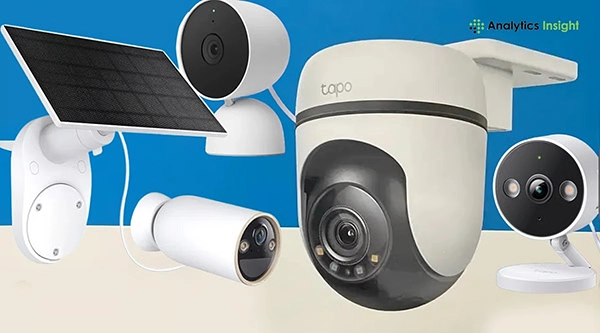
| Outdoor Cameras | Driveway, yard, perimeter | Wired, battery, or solar | Vulnerable to weather and tampering |
| Video doorbell | Packages, visitors | Wired or battery | Confined view of the wider property |
| Floodlight or spotlight | Deterrence, dark areas | Usually wired | Difficult installation |
| PTZ or Multi-sensor Camera | Large or commercial sites | Wired or PoE | Costly and complicated |
Indoor cameras
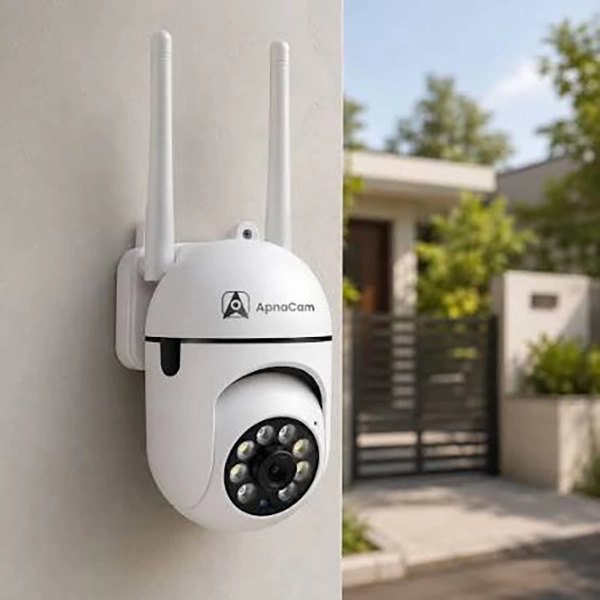
Best for: baby and pet monitoring, checking on elderly relatives, and watching the entry points of your house. Get more information on indoor security for your indoors! Indoor cameras are small. How do electric security cameras work? So getting started with them is easy, and many of them have backward-facing speakers and shutters for privacy. They are not weather-resistant, and they can only show you what happens once someone gets into the room.
Outdoor cameras
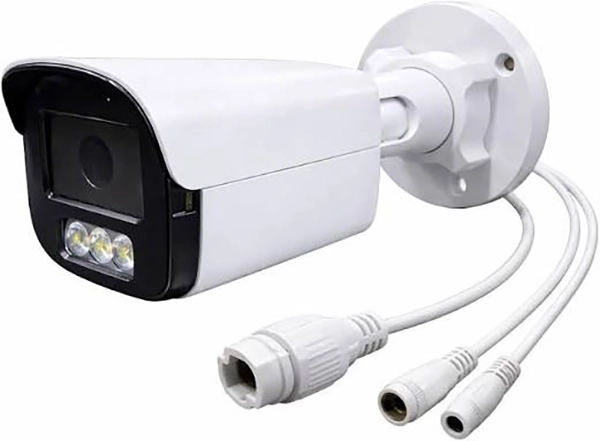
Best for watching the driveway, front yard, garage, and the sides of the house. Look for weather rating, good night vision, and a wide field of view. Many of these cameras are powered by electricity or batteries. The downsides of outdoor cameras are being exposed to weather, the reach of the Wi-Fi signal at the corners of your property, and an increased risk of damaging the camera if it comes within reach of a culprit.
Check out our Outdoor security cameras and choose the model that meets your monitoring needs
Video Doorbell Cameras
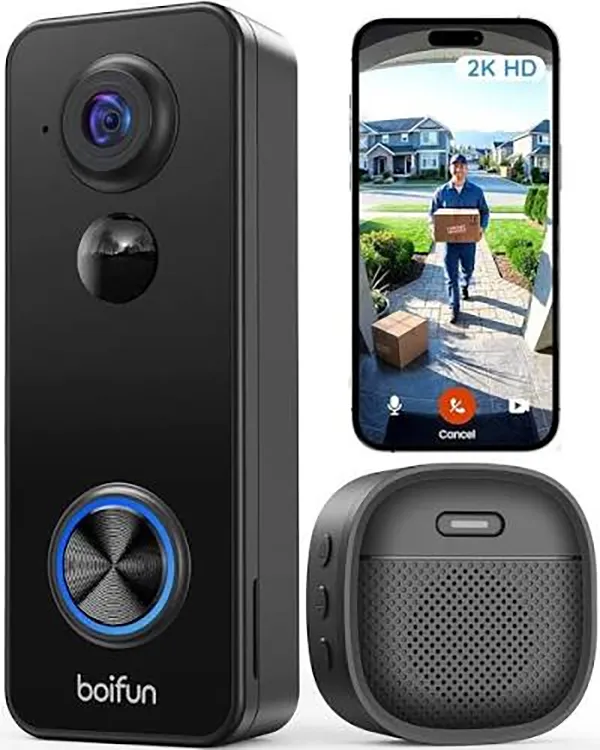
Best for protecting deliveries and finding out who’s outside your door, no matter where you are. Video doorbells provide a detailed human face view and two-way communication, while simultaneously replacing your old doorbell. The cons of the video doorbell cameras are that it doesn’t capture the entire property and has reduced battery life in cold weather, among other functional limitations.
Floodlight Cameras
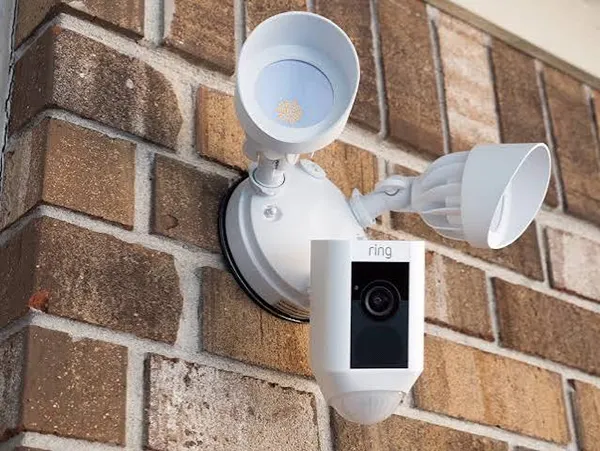
Best for discouraging break-ins at night in your entryways, garage, or backyard. A bright light that comes on when a camera detects motion makes both the camera and its footage highly visible at night. Most floodlight cameras will need to be hardwired, so installing them may be very difficult and requires a professional electrician. Make sure that the camera is directed correctly and that the light from it does not shine into the windows of your neighbors.
PTZ and Multi-Sensor Cameras
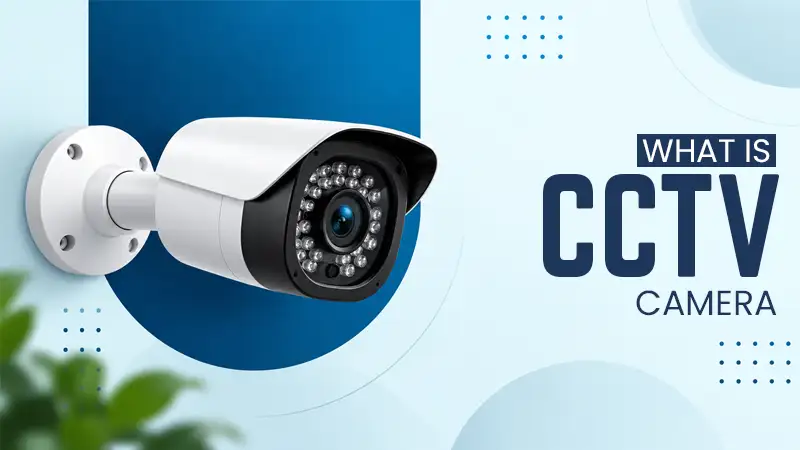
Best for larger properties, parking lots, and lots of commercial premises. PTZ cameras (pan, tilt, and zoom) are able to track movement and focus on the detail, while multi-sensor cameras combine images from several lenses into one wide view. They have a higher price, typically require a wired connection or PoE power supply, and are more compatible with a recording device. PTZ cameras can only be pointed in one direction; hence, many setups take advantage of fixed cameras along with them.
Bullet cameras, dome cameras and turret cameras
Shape is important for mounting and visibility and does not only refer to the categories above. Bullet cameras are long tubes that stick out, providing a good view from longer distances as well as from mounting on walls and eaves. Dome cameras are smaller and less likely to be tampered with, so they fit perfectly into ceilings and soffits. Turret cameras consist of a ball-shaped lens, which allows for easy positioning and reduces the glare of light at night when the surroundings look attractive.
Step 3: Pick the Power Source and Connection
Electricity and connectivity influence a camera’s location and its maintenance costs. There are four options suitable for the majority of households:
With wired PoE security cameras, data and electricity are transmitted through one Ethernet cable, making this option suitable for customers who can afford to lay down cables. Choose suitable security camera cables based on the system’s requirements. Plug-in cameras are easy to use and don’t require recharging. However, they are dependent on electricity sockets. Battery cameras can be installed in any location, but they tend to drain quickly due to frequent motion detection. Solar panels can help prolong the camera’s charging capabilities but only if it gets sufficient access to sunlight.
Wi-Fi vs. cellular. Most home cameras connect to the Internet through Wi-Fi, so check for Wi-Fi coverage in the mounting location. Cellular cameras may be useful for sheds, holiday houses, and construction sites, as they can work for places that do not have a broadband Internet connection, but their connection requires a data plan. The most reliable connection type is wired Ethernet.
| Power source | Best use case | Main trade-off |
| Wired (PoE) | Reliable permanent coverage, multiple camera configurations with recording capabilities | Process of cabling and setup |
| Plug-in | Both outdoors and indoors, where there is a socket. | Routes taken by cables; the disconnection of units |
| Battery | People who rent and places that are complicated to wire | To be recharged every few weeks or every few months depending on the frequency of use. |
| Solar | Outdoor spaces sunny but there is no nearby electricity supply. | Always requires light; works much less in winter or shaded areas. |
To find out more on how to compare commonly used systems, take a look at our post on “Wireless vs wired POE” and our guide to CCTV.
Security Camera Features That Actually Matter
Information about the features of the devices is abundant, but there are only a few of them that really do matter when it comes to how well the camera can provide security for your house. Here is a summary of the security camera features and the corresponding marketing manipulations.
- Resolution – This is the ability of the camera to capture images. 1080p is the minimum supported resolution; 2K resolution provides a better image quality as it allows seeing small details on vehicles; 4K gives a significant amount of details. When it comes to the quality of images, higher quality doesn’t necessarily mean that better videos are produced.
- Night vision. The term “infrared night vision’’ devices produce only black-and-white footage. Another type of night vision is color night vision, which is capable of recording color videos due to either built-in illumination or a super-sensitive sensor. Color night vision lets you detect colors and identify the car or clothing.
- Viewing angle. It is measured in degrees and is the area that will be visible when the camera is installed. This refers to how much of an area the camera sees, and is expressed in degrees. Typically, a field of view of 110 to 130 degrees is best suited for most rooms and doorways, but a wide-angle lens will cover more area and could distort edges or make faces look smaller. Having a wider view is not necessarily better if it prevents you from capturing relevant details.
- Motion detection and smart alerts. The basic motion detection system will trigger every time there is movement, including animals, trees, and cars. The person detection system will thus eliminate a lot of false alarms. It is worth checking whether smart alerts are included or whether they can be obtained only in exchange for a fee.
- Two-way audio. The speaker and the microphone allow you to communicate with your guests, pets, children, and anyone else who might be on the other side of your camera. It is essential to choose a camera that provides high-quality audio with minimal delay.
- Weather rating. If using the camera outdoors, consider an IP rating not lower than IP65, as this protects it against dust and water jets. Cameras rated IP66 or higher can withstand more rain, but also consider the temperature range it is made for when operating in excessively hot or cold weather. Indoor cameras cannot be used outdoors.
- Audio and privacy. Privacy options include a physical lens cover, predefined “off” periods, and microphone disabling. They are essential for indoor cameras, so choose the one that makes privacy user-friendly.
- Smart home compatibility. The higher capability of a camera is due to existing support for Alexa, Google Home, or Apple Home that allows you to view feeds on smart displays or trigger routine functions. Check whether the camera is compatible and whether integrations include only live video but no clips or alerts.
Storage: Cloud vs. Local vs. Hybrid
Where the video files are stored affects the price, dependability, and ease of access.
According to the latest research, the cloud storage method sends the files to the vendor’s servers. The major benefit is that the files won’t be lost if the camera is stolen or broken. You can check the files from any location. The major drawbacks are that you have to pay for the subscription and are always dependent on the network connection. The information is kept on somebody’s server, so you never know what can happen next. Subscriptions are charged once a month or once a year, depending on the choice of subscription.
With local storage, you can store the videos on a microSD card, local hub, or NVR/DVR video recorder. The main benefit is that there is no subscription fee and you can always access the files kept locally.
A hybrid storage system employs local storage as the primary one and relies on cloud storage to back up important events. Although the hybrid storage option is more expensive, it overcomes the drawbacks inherent in each strategy.
In the case of an internet or subscription failure, cloud storage cameras miss video clips, meaning a loss of saved videos, smart alerts, and recordings. Local storage can usually continue recording even in the case of internet failure and can later restore lost video footage.
Cloud cameras often limit the time of retention of recorded clips, while local storage systems are able to hold videos, but depends on the available space on the card or disk.
Security and Privacy Features to Look For
Being a connected device, any IP camera has its own security and should be paid attention to. Here is what to look for in a security camera
- Two-factor authentication (2FA): protects your account from being hacked even if your password has been compromised or reused.
- Encryption: ensure that the recorded video is secured while being transmitted and saved. Additionally, the best option is end-to-end encryption since it could restrict the function of smart features.
- Firmware updates: find a manufacturer who regularly releases firmware updates, preferably automatically, and specifies how many years they will support the device.
- Manufacturer experience: check how the company has managed log vulnerabilities before and if it releases any security information.
What Does a Security Camera Really Cost?
Most buying guides only mention the price tag of the gadget. But the real expenses of the camera include the hardware price and many other payments. Thus, it is always wise to calculate everything together, preferably for two to three years ahead, before purchasing.
The costs of a security camera extend beyond the initial sale price when purchasing it at the store. To determine the comprehensive cost of a home security system, include installation fees, equipment, storage solutions, subscriptions, and ongoing expenses. A very cheap camera can be more expensive in the long run if it has an additional monthly subscription to enable specific recording functions.
Cost Breakdown of Security Cameras
The figures listed below are estimates only and do not imply that these are the current prices on the market. The figures vary by respective brand, camera type, home design, and related installation aspects. Ensure to check the published numbers against the current manufacturers’ prices and quotes of local installers. Here is a security camera comparison of costs
| Cost Factors | Estimated Price in USD | Notes |
| Camera hardware | 30 to 300 per camera | Common indoor models at the low end; 4K, floodlight, and PTZ models are higher |
| Professional installation | 100 to 300 per camera | Mostly higher for wired or PoE, DIY is free |
| Cloud subscription | 3 to 15 per month | Depends on per camera or per household; smart alerts, and may cost more |
| Local storage Options | 10 to 40 (microSD) or 100 to 400 (NVR kit) | One-off cost; cards need replacing over time |
| Batteries and accessories | 15 to 50 per replacement or accessory | Rechargeable batteries, solar panels, mounts |
Which Camera Is Best for Your Situation?
If you are already aware of your situation, then this shortcut will give you a clear picture of how to choose a security camera. Follow these for your emerging situation and then check it for yourself.
- Tenants and apartments: Use a small indoor camera or a wireless doorbell camera that doesn’t need much drilling. A wired camera is great where there are plugs, while a removable camera makes installation less problematic for tenants.
- Large estates or buildings: Use an outdoor camera with a permanent connection to electricity or internet. PTZ or multi-sensor cameras can help observe a larger space, but more cameras may be needed for other buildings or blind spots.
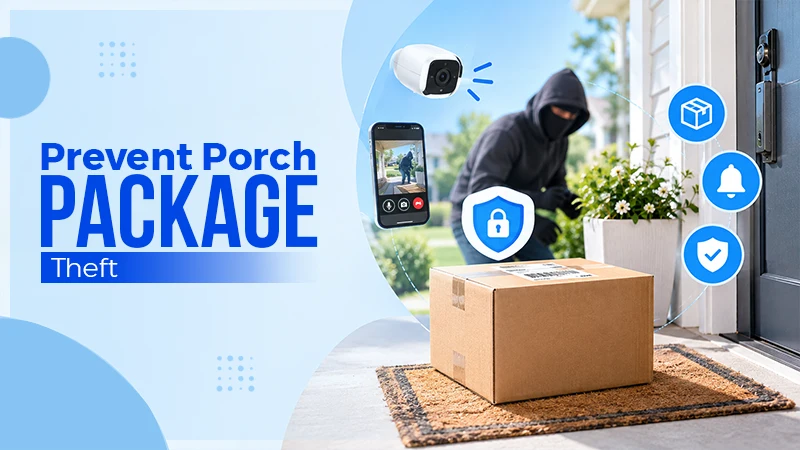
- Package delivery theft: A camera doorbell with person detection and package detection will be the best for package monitoring. The battery-powered camera makes installations easier, while the wired camera provides a permanent electrical connection.
- Monitoring pets and babies: If looking for an indoor camera, the best option is to go for the plug-in model with two-way audio and a privacy shutter, along with a wide field of view.
Explore our indoor security cameras available now.
- Protection for small business: To protect a small business, use wired cameras with a connection to an NVR, since this type of camera has good recording capability.
- Weak Wi-Fi: For weak Wi-Fi coverage, the purchaser should consider using a solar-powered outdoor camera.
Common Security Camera Buying Mistakes
Even the best-researched purchase might end in one of many predictable ways. Beware of the following:
- Focusing only on resolution. The “4K” label does not guarantee good quality recording, as the lens quality, night mode, frame rate, and Wi-Fi performance affects what you see.
- Not paying enough attention to subscription expenses. As soon as adding cloud storage and smart notification functions to an inexpensive camera, its price goes high. Therefore, check for free and paid features in advance.
- Ignoring the Wi-Fi distance test. A camera working at the edge of the Wi-Fi connection will experience problems with footage recording and notification delivery.
- Choosing the wrong power supply for the place. A battery-powered camera located on a busy street will require constant recharging, while a solar-powered device can’t work in a shaded area.
- Not considering weather conditions. Indoor cameras and devices with a low degree of protection will not work outdoors. So check whether your purchase is appropriate for your area.
- Underestimating the number of cameras needed. A single camera probably won’t be enough to cover all the areas that require surveillance. It is best to start with the front door and back door as well as the driveway, and then move on from there.
- Incorrect placement. Placing a camera too high, aiming it at bright sunlight, or creating a blind spot could render an otherwise good camera useless. Consult a guide on how to choose a home security camera location before installation.
DIY or Professional Installation?
Which option is best largely depends on the types of security cameras you choose and how easy or difficult the installation process will be.
When you should install the camera yourself.
It is very easy to install a plug-in camera inside your house. All you have to do is put it on a shelf or fix it with screws and connect it to Wi-Fi via the application. Many cameras run on batteries. Some video doorbells may also be easy to install if you are replacing a doorbell that was previously installed and has the necessary wiring.
When to employ a professional.
Outside Systems are hardwired and have multiple cameras and require installation that may include cabling, drilling, and even electrical work that may be done incorrectly. A professional can also assess the Wi-Fi connectivity, determine the heights for mounting, as well as verify that the system is waterproof and functional.
Tips: Here’s some quick advice to remember when installing security cameras. It should be high enough so it is out of the reach of people yet low enough to capture the faces of people. It should not be pointed in the direction of the sun.
Don’t know who you need to go with? Please get in touch with our team, who will be happy to help you with the installation of wireless security cameras.
Privacy and Legal Basics
Having a security camera in place is about keeping the premises secure as well as its inhabitants. Make sure that cameras do not overlook the interiors of the bedrooms and bathroom, and avoid pointing them at the windows, gardens, or any other private areas of the neighbor. Whenever a camera faces a shared area such as a hall or a garage, ensure that everyone is informed about it.
Capturing audio with the cameras is more complicated legally. A homeowner usually has the right to record video. But doing it with audio can break laws in some states unless consent of the concerned authority was obtained first. If you have doubts, switch off the microphone on the outdoor cameras. Depending on the location, several restrictions are imposed for rentals and for workplaces.
Security Camera Buying Checklist (100-150 words)
Follow this home security camera buying guide before purchasing.
- Location: List all entry points, rooms, driveways, or other areas that you have to monitor.
- Camera type: Filter for indoor, outdoor, doorbell, floodlight, or PTZ cameras to meet your requirements.
- Power: Determine whether wired, plug-in, battery, or solar power is suitable for you.
- Resolution: Analyze 1080p, 2K, and 4K at the level of detail you require.
- Night vision: Compare infrared night vision or color night vision and their effective range.
- Storage: Choose between cloud, local or hybrid recording.
- Subscription cost: Investigate recurring costs and the respective features included in the package.
- Compatibility: Check whether the camera can integrate with WiFi and smart home devices.
- Installation: Decide whether to do a DIY installation or hire a professional.
Final advice: Review all costs, privacy features, and real-world applicability before deciding.
FAQs
What should I consider when purchasing a surveillance camera?
Start by determining its location, then choose the camera type, power source, and memory for its site. Look for at least 1080p resolution, night vision, motion detection, and safety in outdoor conditions. Consult the subscription prices before purchasing, since they inflate overall expenses.
Is 1080p sufficient or do I have to buy a 4K camera?
In most cases, 1080p is enough to discover who’s knocking on your door or wandering your yard. 2K and 4K features allow for a clearer view of the human face and license plates at long distances, but they also need greater bandwidth and storage capacity. If Wi-Fi quality is poor, a lower resolution always works better than 4K that is constantly buffering.
Can surveillance cameras work without Wi-Fi?
Yes, some surveillance cameras can. For example, a wired PoE camera is able to record without the Internet, while a cellular camera needs a special subscription. If the camera has a built-in memory, it may function without the Internet. However, watching the live signal will not be possible.
Do I have to have a subscription plan for a security camera?
If the camera uses a microSD card, hub, or NVR storage, it can store footage without needing any monthly payment. Subscriptions provide a lot of benefits such as cloud storage, longer history of recordings, and smart alerts like detecting packages or people. Make sure to check what features the camera has without these subscriptions before you buy it.
How many cameras should I get for my home?
Most houses will need at least two or three cameras: one for the front door, second for the back door, and third for the yard or driveway. Bigger houses will probably require more cameras depending on their size, number of entrances, and blind spots. Map entrances and entry points before deciding where you should install your cameras.
Do wireless cameras have any advantages over wired ones?
It cannot be said that one type of camera is better than another. In fact, wired cameras allow higher reliability and don’t need any maintenance for battery charging, while their installation is usually more expensive. Wireless cameras are easier to install.
Are security cameras useful?
In most cases, yes. Installing a home security camera may reduce the likelihood of getting robbed if someone actually creates that intention. The value of each camera lies in having proper setup and the expenses involved with it.
Final Verdict
The process of choosing the right type of camera is simple and unambiguous: defining its functionality, identifying the
device, determining the source of the power supply of the camera, locating the place for the storage of the footage, and calculating the expenses involved with it.
Not sure what setup is best for you? Don’t hesitate to get a cost estimate for free.