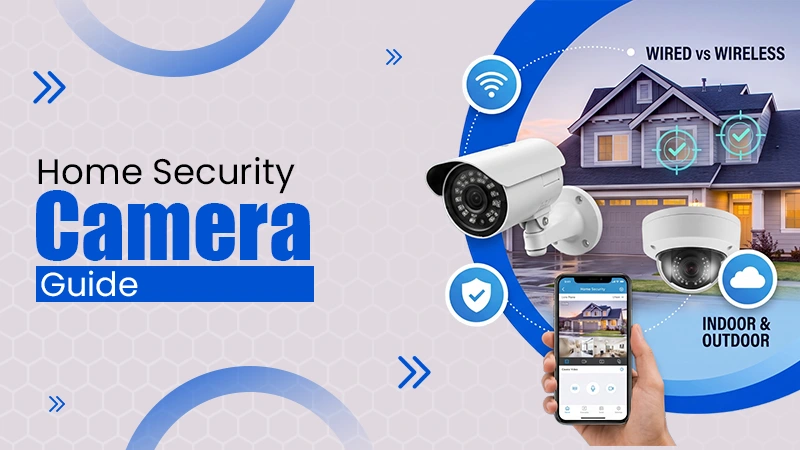
A cam IP camera (also called an IP camera or network camera) is a digital video camera with its own IP address that sends video over Wi-Fi or Ethernet. You can watch live and recorded footage from a phone or computer, and save it to an NVR, a microSD card, or the cloud.
Key Takeaways
- An IP camera digitizes video at the camera and sends it over your network, so no DVR or coaxial cable is needed.
- Compared with analog, IP offers higher resolution, built-in remote access, and one-cable PoE power.
- 4MP is the best all-round resolution; choose 8MP for plates and faces at a distance.
- PoE runs up to 100 m (330 ft) on Cat5e/Cat6; Wi-Fi is easier to install but depends on signal.
- Secure it with a strong password, firmware updates, and a separate VLAN.
- IP Camera vs. Network Camera: Are They the Same?
- How Does an IP Camera Work?
- IP Camera vs. Analog CCTV: What Is the Difference?
- IP Camera Resolution: How Many Megapixels Do You Need?
- What Are the Advantages of IP Cameras?
- What Are the Types of IP Cameras?
- What Features Should an IP Camera Have?
- How to Choose the Right IP Camera
- Where Is IP Camera Footage Stored: NVR, Cloud, or Hybrid?
- Where Are IP Cameras Used?
- How Do You Install and Secure an IP Camera?
- Frequently Asked Questions About IP Cameras
- Wrap Up
IP Camera vs. Network Camera: Are They the Same?
Yes. IP camera and network camera mean the same thing: a camera that connects to a network and has its own IP address. You will also see it written as IP cam, ipcam, or IPCamera in product listings and searches.
How Does an IP Camera Work?
An IP camera captures video, processes it, and sends it over your network. Here is how.
From lens to network
The camera takes pictures, digitizes them into videos, encodes them using the H.264 or H.265 codec, and transfers the recordings via TCP/IP. The raw footage is too huge to stream all the time, so the camera’s internal processor compresses the footage using a codec. H.265 reduces file size by roughly 50% compared with H.264 at the same quality.
Wired vs. wireless connection
Two ways that a network camera can be connected.
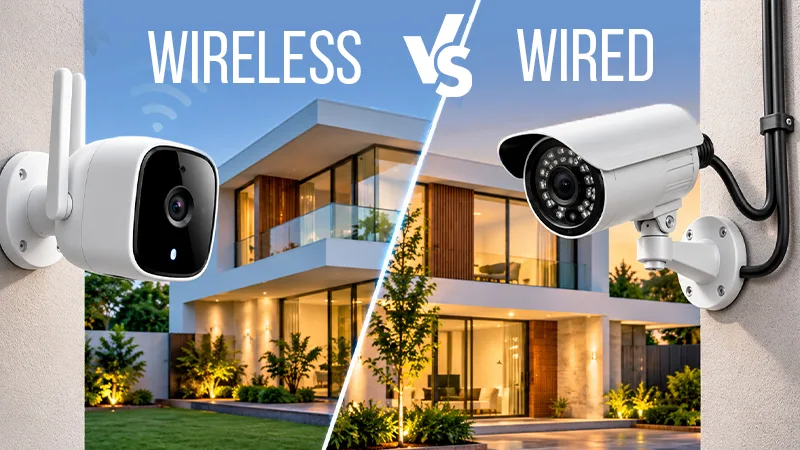
- Wired connection: A network cable connects the devices to the router, resulting in a stable connection and high-quality video.
- Wi-Fi: The camera connects to the wireless network. The flexibility provided by a Wi-Fi connection comes at the cost of quality and needs a strong signal with few walls or obstacles in the way.
Power over Ethernet (PoE):
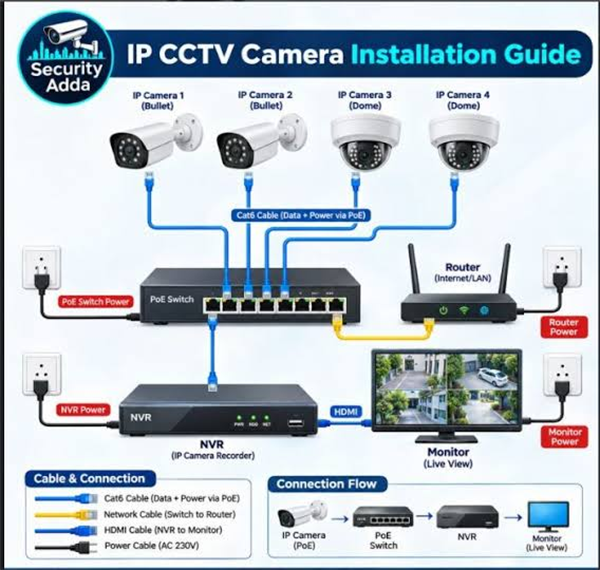
Power over Ethernet provides power and data through one Ethernet cable, which simplifies installation. PoE follows the IEEE 802.3af (up to 15.4 W), 802.3at (up to 30 W), and 802.3bt (up to 60-90 W) standards. Most fixed cameras run on af or at; PTZ cameras and cameras with heaters often need at or bt.
Viewing and control:
You can view live and recorded video through NVR software, a mobile app, or a web browser, and change camera settings from the same place.
IP Camera vs. Analog CCTV: What Is the Difference?
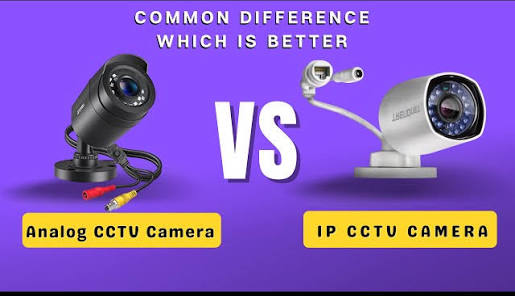
An IP camera converts video to digital at the camera and sends it over a network, while an analog camera sends a raw signal over coaxial cable to a DVR. IP offers higher resolution, built-in remote access, and one-cable PoE power. The main difference is how video is transmitted. Analog cameras transmit the unprocessed signal through a coaxial cable to a DVR that converts the signal into digital data and records it. In contrast, IP cameras convert the video signal at the camera and send it over a standard network.
| Feature | IP Camera | Analog CCTV Camera |
| Resolution | Commonly 2MP to 8MP (4K) and higher | Generally lower than IP cameras, often under 1MP in older systems |
| Cabling | Standard Cat5e/Cat6 network cable, with PoE carrying power and data together | Coaxial cable for video plus a separate power cable |
| Remote access | Built-in, via app, browser, or NVR software | Possible, but depends on the DVR and is often limited |
| Scalability | Add cameras to any network port or switch | Limited by the number of DVR channels |
| Analytics | Motion zones, line crossing, people and vehicle detection, license plate recognition on many models | Basic motion detection at best |
| Storage | NVR, cloud, or onboard microSD card | DVR hard drive, with less flexibility |
A regular analog DVR cannot work with IP cameras; you must use an NVR or a hybrid DVR.
IP Camera Resolution: How Many Megapixels Do You Need?
Most homes and small businesses should choose 4MP. Use 2MP indoors where people are close, and 8MP (4K) where you need to read plates or identify faces at a distance.
| Resolution | Pixels | Best for | Bitrate (H.264) | Bitrate (H.265) |
| 2MP | 1920×1080 | Indoors, corridors, offices | 2-4 Mbps | 1-2 Mbps |
| 4MP | 2560×1440 | Entrances, driveways | 4-6 Mbps | 2-3 Mbps |
| 8MP (4K) | 3840×2160 | Plates, faces at distance, wide areas | 8-12 Mbps | 4-6 Mbps |
2MP (1080p):
2MP cameras produce Full HD (1920 x 1080) video and are ideal for interior places, small business outlets, corridors, offices, and locations where people are close by. They use the lowest bandwidth and storage of the most widely used devices, thus helping you minimize your costs for larger systems. Their major drawback is distance: when people are far away, it is less possible to identify the images.
4MP: The Best Combination of Features
For the majority of people, 4MP is the best choice for overall performance as it is capable of producing much more detailed information compared to 1080p. This is enough for monitoring areas like entrances, driveways, parking areas, and around buildings, without the storage requirements of 4K. If you have no idea about what type of camera you are purchasing, a 4MP camera is the option to go for, as it balances image quality, file size, and price better than any other option.
8MP (4K):
With 8MP, the recording goes to 4K (3840 x 2160), which is over four times as detailed as 1080p. The advantage of the extra detail means that an 8MP camera will be the ideal solution for times when identification is required, such as reading license plates, identifying faces at a distance, or monitoring wide areas. Footage from an 8MP camera is also better at acting as evidence. Again, though, the trade-off is cost and capacity since 4K recording requires more bandwidth and storage.
What about 5MP and 6MP? These resolutions fall between the resolution of 4MP cameras and cameras with the resolution of 4K, providing a limited gain in image detail over 4MP with a very small jump in the storage demand.
What Are the Advantages of IP Cameras?
There are several advantages to choosing an IP camera over using analog cameras for surveillance systems today:
- Better image quality: IP cameras provide much clearer image and detail to older cameras that makes a big difference when you need to identify what happened. It is easier to see faces, clothing, details on the vehicles, and text.
- Remote access: You can check the condition of your property using a smart device, such as a tablet, phone, or a computer, even if you are in another room or country. Multiple people can simultaneously view the camera feed; a business owner, security manager, and the security vendor can watch the same feed at the same time.
- Flexible storage options. You are not bound by any particular type of storage solution. You can record footage to local storage using your NVR or microSD card, upload to the cloud, or even employ both solutions together, with your choice depending on the needs.
- Smart features: Motion zones, people and vehicle detection, line crossing, and push alerts reduce false alarms and flag what matters.
- Simple system scaling: An IP camera could be easily expanded, as you need to just add one more camera to meet your growing demands.
What Are the Types of IP Cameras?
There are multiple shapes of IP cameras available, and each is built for its own use. Therefore, the right shape is as significant as selecting an appropriate resolution, for the camera’s shape affects how effective it would be in protecting the site, or how good its visibility would be, and how far its coverage would reach.
Dome IP cameras:
Dome cameras have their lens housed inside a spherical housing, making them both discreet and vandal-resistant. It is hard to know which way the lens is pointing, and these cameras are suited for stores, offices, schools, and entries inside or outside.
Bullet IP cameras:
The shape of bullet cameras makes it easy to know from which direction an image is coming, and these cameras are long and slender, built for distant viewing. Bullet cameras are also usually weatherproof and have built-in infrared, which is great for entrances, driveways and parking lots.
PTZ IP cameras:
PTZ cameras have the ability to pan, tilt, and zoom, which means one can cover the area that normally would need multiple static cameras. The use of PTZ cameras can be ideal for parking lots, warehouses, and campuses, and some models also include auto-tracking.
Fisheye/360° and turret cameras
The fisheye camera records a full 360-degree video of a single location, making it a good choice for open areas. Turret cameras sit between dome and bullet styles and can be aimed in different directions and offer resistance to infrared glare, making it ideal as an all-purpose camera for entries and outdoor areas.
Wireless and Wi-Fi IP Cameras
Wi-Fi cameras suit homes and rentals because setup is quick. They still need a power adapter or battery, and video quality depends on signal strength. See the wired vs. wireless section above for the trade-offs.
Indoor vs. outdoor models:
If you want an IP camera for outdoor use, it should have an IP66 or IP67 rating (which stands for Ingress Protection and indicates dust and water resistance) and the IK10 impact rating (which is necessary for high impact resistance). IP cameras used indoors do not have such ratings and shouldn’t be used outdoors, no matter how strong they seem.
What Features Should an IP Camera Have?
Some details on a product box might be a little confusing or ambiguous, but it’s important to focus on the main features that make a big difference once a camera has been set up.
Wide Dynamic Range (WDR)
A wide dynamic range means the ability to compensate for contrast in any scene.
WDR helps cameras correctly expose a scene that has very bright and very dark areas, e.g. a doorway when the sun is shining behind it. So the face in front of the door will not be in silhouette. WDR is especially important for doorways, glass doors, and garages.
Night Vision and Low Light Performance
Look at the IR or range of the camera. Usually, the compact cameras have about a 30-foot range, and long-range cameras have between 30-100 feet. This is a best-case range, since it can be affected by trees and walls. Colored night vision will help to distinguish clothes and vehicles even after dark, while IR remains the most reliable option when it is pitch black.
H.265 compression
H.265 compression reduces disk space usage and bandwidth usage compared to H.264 compression. But check whether your NVR is compatible too.
ONVIF Profile Compatibility
ONVIF Profile S covers basic video streaming, and Profile T adds H.265 and advanced streaming features
Two-way audio
A built-in microphone and speaker let you hear what is going on and respond via the app. It is helpful for greeting people who arrive, explaining instructions to delivery personnel, or warning people away who are not supposed to be there. Be sure to check local rules about audio recording; rules about audio can differ in every jurisdiction.
Built-in analytics
Be cautious to look for onboard analytics such as counting people and cars, line crossing, or alerts when something loiters or lingers near a camera. Performing analysis directly on the camera reduces false alerts and allows the camera to operate even when the recorder is offline.
App and Firmware Support
A camera cannot be more dependable than its app and firmware. Look at companies providing apps that receive frequent positive reviews, along with regular updates and security patches that resolve flaws in the app. Outdated firmware leaves cameras open to attacks.
How to Choose the Right IP Camera
Select a camera according to your area, viewing distance, and cost limitations.
- Position: indoor or outside. You need cameras that are weatherproof (IP66/IP67) and preferably have protection from impact.
- Recognition distance: how far away is the object you wish to identify. More distant locations require higher clarity and an appropriate lens.
- Cable and power supply availability: will you be able to pull cable for PoE, or will you have to rely on Wi-Fi with an electrical socket nearby?
- Storage and recording: will it be enough for a certain period (like 14, 30, or 90 days)?
- Bandwidth capacity: can your network handle all the data streams in the video?
- Budget limitations: establish an overall sum and invest more in crucial points and save money in areas where you can afford it.
- Camera count: define required positions and ensure your recording system or program will have the required capacity.
For bitrates, see the resolution table above; for storage planning, see the storage section below.
However, the specific data consumption will depend on frame rate, compression, and level of scene activity. When designing storage, make sure to plan storage capacity in terms of the number of devices you are going to record, for how many hours, and over how many days.
Where Is IP Camera Footage Stored: NVR, Cloud, or Hybrid?
Store IP camera footage on an on-site NVR for no subscription and offline recording, in the cloud for off-site backup, or both in a hybrid setup. Hybrid protects footage if the recorder is stolen or damaged. Storage options will vary depending on your budget and the amount of time you plan to record.
Formula:
Storage per camera per day (GB) = bitrate in Mbps × 10.8. Multiply by days and camera count.
| Setup | Days | Estimated storage |
| 1 camera, 4MP (2-3 Mbps) | 30 | 650-970 GB |
| 4 cameras, 4MP | 14 | 1.2-1.8 TB |
| 4 cameras, 4MP | 30 | 2.6-3.9 TB |
| 8 cameras, 4MP | 30 | 5.2-7.8 TB |
| 4 cameras, 8MP (4-6 Mbps) | 30 | 5.2-7.8 TB |
On-Site NVR
This storage option stores video data in your own environment; it has no cloud subscription and recording can happen without a network connection.
Cloud Storage
You can view video remotely with no issues, and it automatically backs it up for storage, which requires a cloud subscription.
Hybrid Storage
A hybrid option allows to record data locally and also to automatically send it to the cloud.
Where Are IP Cameras Used?
In which areas is it possible to use IP cameras? IP cameras protect various environments, including:
- Homes: bullet or turret camera at the door and driveway, 4MP with WDR.
- Retail stores: dome cameras at the entrance and counter.
- Restaurants: dome with WDR in the kitchen, 2MP is enough for the dining area.
- Offices: 2MP domes in corridors and reception.
- Warehouses: PTZ for wide aisles, bullet at loading doors.
- Schools and clinics: vandal-resistant domes at entrances and corridors.
- Car parks: 8MP bullet or PTZ for plates and wide coverage.
How Do You Install and Secure an IP Camera?
Follow the simple advice and set up your security camera system correctly:
- Choose an appropriate angle and height to provide maximum visibility of cameras
- Select appropriate cables and use compatible PoE switches
- Set up proper network security using safe passwords, firmware updates, and setting up a VLAN or separate network
- Power backup – use a UPS power source to keep your security systems running even in case of electricity outages.
- If you need any assistance, hire professionals who will install cameras, provide proper wiring, network configuration.
Frequently Asked Questions About IP Cameras
Can IP cameras work without internet?
Yes. An IP camera records without internet if it is on a local network with an NVR or has a microSD card. Without internet you cannot view footage remotely or use cloud storage, but live viewing on the local network still works.
Do IP cameras need a subscription?
No, not always. Cameras that record to an NVR or microSD card need no monthly fee. A subscription is usually required only for cloud storage and, on some consumer brands, advanced alerts. Check the brand’s terms before you buy.
What is the difference between a PoE and a Wi-Fi IP camera?
A PoE camera gets power and data through one Ethernet cable and gives a stable connection. A Wi-Fi camera sends video wirelessly but still needs a power adapter or battery, and its quality depends on signal strength. Choose PoE where you can run cable.
How much bandwidth do IP cameras use?
A 4MP camera uses about 4-6 Mbps with H.264, and an 8MP (4K) camera about 8-12 Mbps. H.265 cuts that roughly in half. Actual usage depends on frame rate, compression, and how much movement is in the scene.
Are IP cameras easy to hack?
Unsecured IP cameras can be hacked. Reduce the risk by changing default passwords, installing firmware updates, turning off UPnP, keeping the NVR off the public internet, and putting cameras on a separate VLAN or network.
Do IP cameras work when the power is out?
No. IP cameras stop recording in a power cut unless they have backup power. A UPS on the NVR and PoE switch keeps PoE cameras running, while battery-powered Wi-Fi cameras run until the battery drains. Size the UPS to the total load.
How much footage can my system store?
It depends on drive size, resolution, codec, and camera count. Use bitrate in Mbps × 10.8 for GB per day per camera. Four 4MP H.265 cameras recording continuously for 30 days need about 2.6-3.9 TB.
Is an IP camera better than CCTV?
Yes, for most new installations. IP cameras offer higher resolution, one-cable PoE power, built-in remote access, and onboard analytics. Analog CCTV can still make sense if you already have coaxial cabling and only need basic monitoring.”
How does an IP camera connect to the internet?
An IP camera connects to your router by Ethernet or Wi-Fi and receives an IP address. Apps reach it through the manufacturer’s cloud service or a VPN. Avoid port forwarding unless you secure it, because exposed ports are a common attack route.
How far can a PoE IP camera be from the switch?
A PoE IP camera can sit up to 100 meters (330 feet) from the switch on Cat5e or Cat6. Beyond that, use a PoE extender or a fiber link with a media converter. Avoid copper-clad aluminum cable, which performs worse.
Wrap Up
IP cameras make one of the best solutions for any contemporary security solution. They allow for recording of high-resolution video footage, provide access to remote video monitoring, provide smart alerts in case anything strange happens in and around your property or business, and offer multiple storage options for video files that your IP camera captures. If you need camera security at home or on business premises, an IP camera setup would provide security with the reliability you require.
Get an IP camera system with Camrelo, or request an IP camera installation quote now.