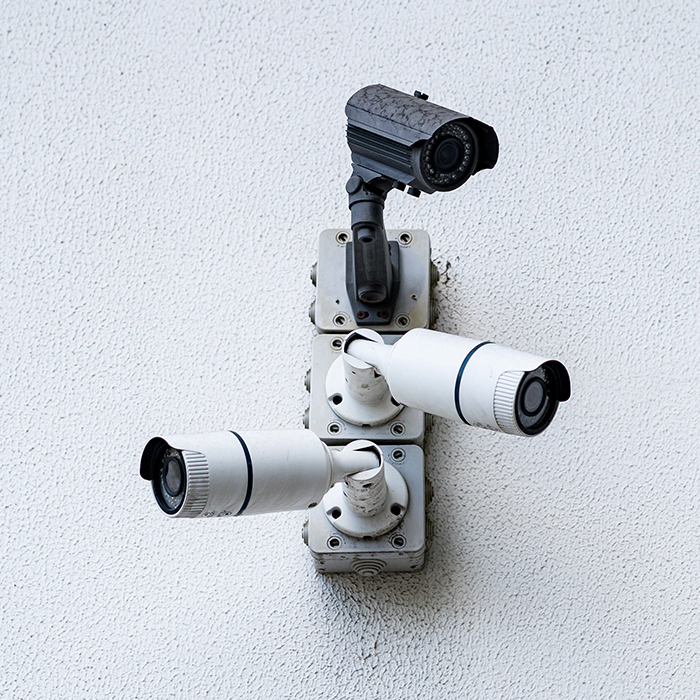
Every IP camera needs two things: power and a network connection. A PoE (Power over Ethernet) switch delivers both through a single Ethernet cable, so you can mount cameras anywhere you can run a cable, with no power outlet nearby. Camrelo PoE switches come in 8-port and 16-port models, managed and unmanaged, to connect and power the cameras on your NVR system
Product Specification
| Specification | Details |
|---|---|
| Product Name | PoE Network Switch |
| Main Function | Supplies network connectivity and power to compatible devices |
| Power Supply | Power over Ethernet through compatible Ethernet ports |
| Ports | 8-port, 16-port, and other configurations, depending on availability |
| Network Compatibility | Compatible Ethernet-based IP cameras and network devices |
| PoE Quality | Varies by the switch model |
| Total PoE Power Consumption | Depends upon the model |
| Data Transfer | Fast Ethernet or Gigabit Ethernet, depending on the model |
| Switch Management | Managed or unmanaged options |
| Network Features | Depends on model; may include VLANs, QoS, and traffic monitoring |
| Installation | Desktop, rack-mounted, or other configurations, depending on the model |
| Device Compatibility | Depends on PoE standards, power requirements, and network specifications |
| Suitable Applications | CCTV systems, offices, retail stores, warehouses, and commercial networks |
| Ideal Users | Homeowners, installers, IT professionals, and businesses |
Camrelo PoE switches power and connect IP cameras for homes, shops, offices, and warehouses across Houston. Choose an 8-port switch for a small CCTV system or a 16-port switch for a larger one, and pick unmanaged for plug-and-play simplicity or managed for control over your network.
When you choose a switch, check the total PoE budget as well as the port count. A switch with 16 ports may not be able to power 16 cameras at full draw if its total budget is lower than the cameras’ combined power, so add up your cameras’ wattage first.
Key Features & Benefits
- One Cable for Power and Data
- Simple Camera Installation
- 8-Port and 16-Port Options
- Managed and Unmanaged Models
- Gigabit Speeds for HD and 4K Video
- Enough PoE Power for Your Cameras
- Easy Expansion
- Works With IP Cameras and NVRs
Managed vs Unmanaged PoE Switches
Both types power and connect your cameras. The difference is how much control you get over the network.
| Unmanaged PoE switch | Managed PoE switch | |
|---|---|---|
| Setup | Plug and play, with no configuration | Needs setup through a web interface or app |
| Cost | Lower | Higher |
| Network control | None. All ports work the same way | Control over individual ports, traffic, and settings |
| Power control | Automatic | Per-port PoE control, scheduling, and remote reboot of a frozen camera |
| Network features | Basic | VLANs, QoS, traffic monitoring, and security settings |
| Best for | Homes, small shops, and simple CCTV systems | Larger sites, multi-building networks, and IT-managed environments |
Which should you choose?
- Choose unmanaged if you want a simple setup for a small system. Plug in the cameras and NVR and you’re running.
- Choose managed if you run many cameras, share the network with other devices, need to separate camera traffic from the office network (VLAN), or want to reboot a camera remotely without climbing a ladder.
Not sure which fits? Tell us your camera count and network setup and we’ll recommend one.
Do I Need a PoE Switch?
Not always. Many NVRs already have built-in PoE ports, which power and connect the cameras directly.
You may not need a separate switch if:
- Your NVR has enough PoE ports for every camera you plan to run now, plus any you may add.
- All cameras are within about 100 m (328 ft) of the recorder.
- The NVR’s total PoE power covers all your cameras.
Add a PoE switch if:
- You need more ports than the NVR has. For example, an 8-port NVR with 12 cameras.
- Cameras are far from the recorder. Place a switch near a group of cameras, such as a warehouse corner or a detached building, and run one cable back to the NVR instead of many.
- Your cameras need more power than the NVR’s PoE can supply. PTZ cameras and cameras with heaters or strong infrared often draw more.
- You’re using non-PoE NVR with IP cameras. The switch powers the cameras while the NVR just records.
- You want to expand later without replacing the recorder.
Quick check
Add up your cameras’ power draw and compare it with the NVR’s total PoE budget. If it falls short, or you run out of ports, use a switch.
How to Choose a PoE Switch
Check these seven things before you buy.
1. Camera count
Count every camera you plan to connect, including future ones. Pick a switch with at least a few spare ports. If you have 6 cameras, an 8-port switch gives you room to grow. Remember that one port may be needed as an uplink to your NVR or network, so check how many ports are PoE.
2. PoE standard
Your switch must support what your cameras need.
- 802.3af (PoE): up to about 15.4 W per port. Fine for most standard IP cameras.
- 802.3at (PoE+): up to about 30 W per port. Needed for many PTZ cameras and cameras with heaters or powerful IR.
- 802.3bt (PoE++): up to about 60-90 W per port. For high-power PTZ and multi-sensor cameras.
A higher standard switch usually works with lower-power cameras, but not the other way around.
3. Total power budget
This is the most overlooked spec. The total PoE budget is the combined watts the switch can supply across all ports. A 16-port switch can’t power 16 cameras at full draw if its budget is smaller than the cameras’ total. Add up your cameras’ wattage and leave at least 20% headroom. For example, 8 cameras at 8 W each need about 64 W, so choose a switch with a budget of 80 W or more.
4. Port speed
Gigabit ports handle HD and 4K camera streams and high-bitrate systems comfortably. Fast Ethernet (100 Mbps) can work for a few 2K cameras but limits growth. For 4K cameras or many cameras on one switch, choose Gigabit.
5. Uplink
The uplink connects the switch to your NVR, router, or main network. Check that you have the uplink you need (RJ45 or SFP fiber). Fiber uplinks help when the switch is far from the recorder or when you need a longer link.
6. Managed or unmanaged
Unmanaged for simple, small systems. Managed when you need VLANs, remote control, or monitoring. See the comparison above.
7. Rack or desktop
Desktop or wall-mount switches suit small systems and offices. Rack-mount switches suit server rooms, equipment closets, and larger installations. Make sure the model you choose fits where you’ll place it, with enough ventilation to stay cool.
Quick Guide
| Your setup | Choose |
|---|---|
| Home or small shop, up to 6 cameras | 8-port Gigabit unmanaged, [PoE/af] |
| Medium business, 8-14 cameras | 16-port Gigabit, [PoE+/at], unmanaged or managed |
| PTZ or high-power cameras | PoE+ (802.3at) or PoE++ (802.3bt) with a larger power budget |
| Large site or IT-managed network | Managed rack-mount, with a high total PoE budget |
| Cameras far from the NVR | Switch near the cameras, with a fiber or Ethernet uplink back to the recorder |
Cable reminder: PoE runs up to about 100 m (328 ft) on a standard Ethernet cable. Use quality Cat5e or Cat6 copper cable, and avoid copper-clad aluminum (CCA) cable, which causes power loss and failures.
Not sure which switch fits your system? Tell us your cameras and recorder and we’ll size it for you.
Select the Right PoE Switch for Your Security Network
Are you in search of PoE switches for cameras for your home? Or 8 Port PoE switch for a small CCTV installation? Or perhaps you are searching for a 16 port PoE switch for a business?
Camrelo lets you explore the switching equipment by port, power capacity, data speed, manageability features and installation needs.