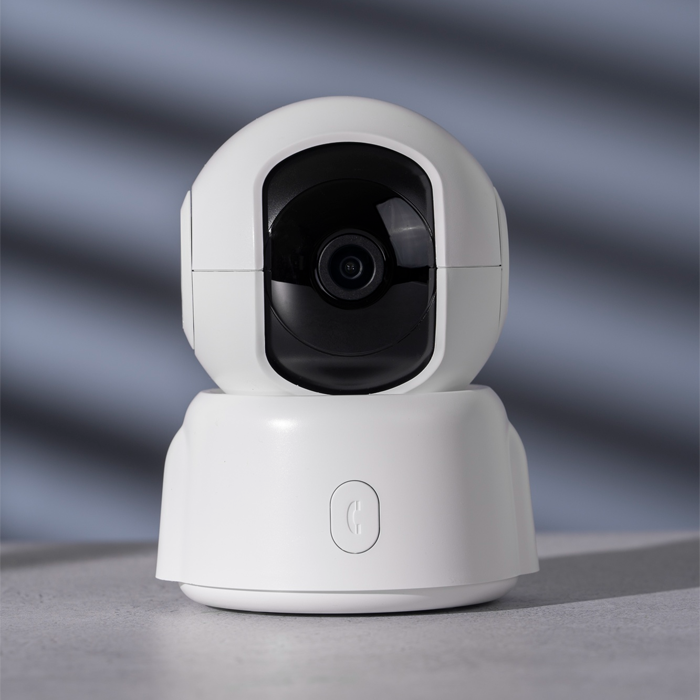
An NVR (network video recorder) security system records and manages footage from IP cameras over your network, so you can view, search, and store video from one place. Camrelo NVR systems pair a PoE network video recorder with high-definition IP cameras, so one Ethernet cable per camera carries both power and video. Choose a complete kit or a recorder only for your home, shop, office, or warehouse.
Product Specification
| Specification | Description |
|---|---|
| Product Name | NVR Security System |
| Recorder Category | Network Video Recorder (NVR) |
| Camera Compatibility | Compatible IP cameras |
| Channel Capability | Depends on model |
| Resolution | Depends on the NVR and connected cameras |
| Network Connectivity | Ethernet and network connectivity |
| PoE Support | Available on select NVR systems |
| Recording Options | Continuous, scheduled, or motion-triggered recording, depending on the model |
| Storage | Internal hard drive support or other specified storage options |
| Remote Access | Supported by compatible systems and applications |
| Motion Detection | Available on compatible cameras and recorders |
| Search & Playback | Supported features vary by model |
| Camera type | Recorder-only or complete kit with cameras, depending on the product |
| Installation | Suitable for compatible indoor and outdoor IP cameras |
| System Expansion | Depends on available channels, bandwidth, and compatibility |
| Suitable Applications | Homes, offices, retail stores, warehouses, and commercial properties |
Camrelo NVR systems suit homes, shops, offices, and warehouses across Houston. Choose a complete NVR kit with PoE IP cameras, or buy a recorder only to pair with IP cameras you already have. Recorders come in 4, 8, 16, and 32 channels and record up to [4MP (2K) / 8MP (4K)] video, with remote viewing from your phone.
Because PoE sends power and video over a single Ethernet cable, installation is simpler and cleaner. All footage is recorded, searchable, and stored on a central hard drive that you can expand as your needs grow.
Key Features & Benefits
- Centralized Recording and Management
- Up to 4K Video Quality
- PoE: One Cable for Power and Video
- Complete Kits or Recorder Only
- Works With Compatible IP Cameras (ONVIF)
- Smart Motion Alerts
- Remote Viewing on Your Phone
- Expandable Storage and Easy Playback
NVR vs DVR: What’s the Difference?
An NVR (network video recorder) and a DVR (digital video recorder) do the same job, recording and storing camera footage, but they work with different camera types.
| NVR | DVR | |
|---|---|---|
| Works with | IP cameras | Analog or HD-over-coax cameras |
| Connection | Ethernet (network) cable | Coaxial cable |
| Power | PoE: one cable carries power and video | Separate power cable for each camera |
| Resolution | Higher, including 4K (8MP) and beyond | Usually lower |
| Processing | Camera encodes video, the NVR records it | The DVR encodes video from the camera |
| Best for | New installations and higher-resolution systems | Upgrading an older coax system |
Which should you choose? For a new system, an NVR with PoE IP cameras is the better choice: sharper video, simpler cabling, and easier expansion. A DVR makes sense only if you already have coaxial cable and analog cameras you want to keep.
How to Choose an NVR
Match the recorder to your property with these five checks.
- Channel count. Channels are the camera connections on the recorder. Choose a 4, 8, 16, or 32-channel NVR based on how many cameras you need now, plus room to grow. If you’re between sizes, go up one.
- Resolution. Check the maximum recording resolution. A 4K (8MP) camera needs a recorder that supports 4K. A 4MP (2K) recorder can’t record 4K cameras at full quality.
- Hard drive size. More cameras and higher resolution mean more storage. A 4K system recording continuously needs much more space than a 2K system recording on motion. Choose a drive that holds the number of days you want to keep, and confirm how many drive bays the recorder has.
- PoE ports.A built-in PoE NVR powers cameras over the same Ethernet cable and removes the need for a separate power supply or switch. Confirm the number of PoE ports matches the number of cameras, or add a PoE switch.
- Expansion. Check that the recorder has spare channels and drive bays, so you can add cameras and storage later without replacing the recorder.
Not sure what you need? Tell us about your property and we’ll size the right recorder.
Get the Right NVR Security Solution at Camrelo.com
Are you looking for NVR video security systems, PoE NVR surveillance systems for easy camera installations, or the right networked video recorder with all the cameras? Camrelo is the place for you to help you figure out how to choose the best option based on IP video camera compatibility, recording channels, storage, connectivity, and monitoring features.