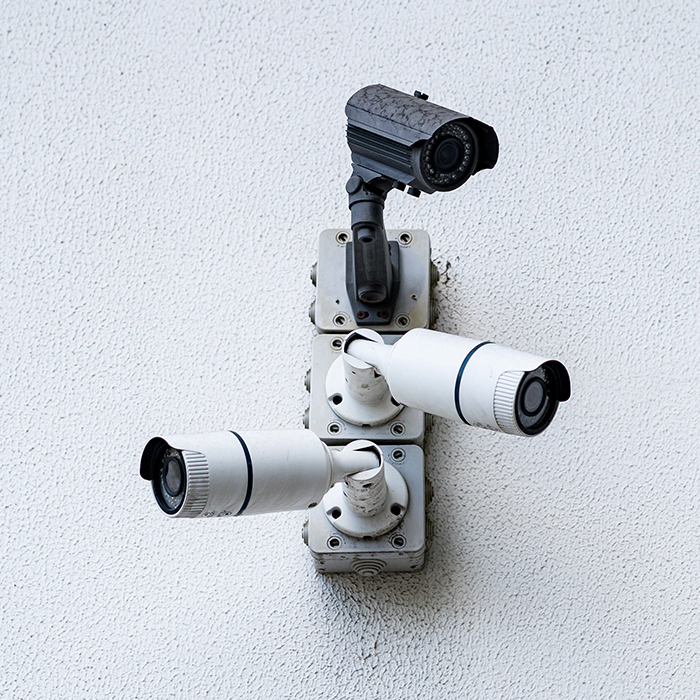
A DVR (digital video recorder) security system records and manages footage from analog and HD-over-coax cameras over standard coaxial cable. It’s a practical, affordable choice if you already have coax wiring or want a lower-cost CCTV setup for a home, shop, office, or warehouse. Camrelo DVR systems come as complete kits or recorder-only, with HD-TVI options for sharper video over the cable you already have.
Product Specification
| Specification | Details |
|---|---|
| Product Name | DVR Security System |
| Recorder | Digital Video Recorder (DVR) |
| Camera Compatibility | Compatible with analog and HD-over-coax cameras |
| Video Resolution | Varies on the DVR and connected cameras |
| Supported Technologies | Analog, HD-TVI, or other supported coaxial formats |
| Connectivity | Coaxial video connections and network connectivity, depending on the model |
| Recording Modes | Uninterrupted, scheduled, or motion-triggered recording, depending on the system |
| Storage Capacity | Internal hard drive support or other specified storage options |
| Remote Access | Available on compatible network-enabled models |
| Night Vision | Supported when paired with compatible cameras |
| Motion Detection | Available on compatible systems |
| Camera Package | Recorder-only or complete kit with cameras, depending on the product |
| Installation | Suitable for compatible coax-based camera installations |
| System Expansion | Depends on channel capacity and supported camera formats |
| Suitable Applications | Homes, offices, retail stores, warehouses, and commercial properties |
Camrelo DVR systems suit homes, shops, offices, and warehouses across Houston. If you already have coaxial cable in place, an HD-TVI DVR lets you upgrade to high-definition video without re-running wiring. If you’re starting from scratch on a budget, a DVR CCTV kit gives you reliable recording at a lower cost.
Choose a complete kit with cameras, or buy a recorder only to pair with the cameras you already have. Check the DVR’s supported formats and resolution against your cameras before you buy.
Key Features & Benefits
- Centralized Recording and Playback
- HD Video Over Existing Coax Cable
- Complete Kits or Recorder Only
- Affordable CCTV Solution
- Night Vision With Compatible Cameras
- Motion Detection and Alerts
- Remote Viewing on Your Phone
- Easy Upgrade Path From Older Systems
Cable and Distance Guide for Coax Camera Systems
Cable quality decides whether you get a sharp, stable picture, so it’s worth getting right.
| RG59 vs RG6 | RG59 | RG6 |
|---|---|---|
| Thickness | Thinner, more flexible | Thicker, better shielding |
| Signal loss | Higher over distance | Lower over distance |
| Best for | Shorter runs, tight spaces | Longer runs, HD and higher-resolution cameras |
| Often sold as | Siamese cable (video + power in one jacket) | Coax only, or with a separate power cable |
Choose a DVR if:
- You already have coaxial cable from an older analog system and want to upgrade without re-cabling.
- You want an affordable system and HD video is enough.
- Your existing cameras are analog or HD-over-coax and still work.
Choose an NVR if:
- You’re installing a new system and can run Ethernet cable.
- You want the sharpest video (4K and up), PoE power, and more smart features.
- You expect to expand the system later with newer cameras.
Not sure which fits? Tell us what you have now and what you need, and we’ll recommend one. Planning a new install?
Upgrade Your Existing Analog Camera System
If you already have a coax-based CCTV system, you don’t have to start from scratch. In many cases you can get sharper HD video by upgrading the recorder and cameras while keeping the cable already in your walls.
What you can usually reuse
- Existing coaxial cable (RG59 or RG6), if it’s in good condition with intact connectors.
- Mounting locations and brackets, since cameras go back where the old ones were.
- Power wiring, in many setups.
What usually needs replacing
- The DVR. An old analog-only DVR can’t record HD. A new HD-TVI (or multi-format) DVR is the first upgrade.
- The cameras. This is the part people miss. Old analog cameras stay analog quality even on a new HD DVR. To get HD video, you need HD-TVI cameras too.
- Damaged or corroded connectors and cable. Water-damaged coax or poor connectors cause noise, ghosting, or no signal. Replace the connectors, or the cable if it’s badly worn.
How the upgrade works
- Check your cable. Confirm it’s coax, inspect the connectors, and measure the longest run. See the cable and distance guide below.
- Pick a DVR that supports your camera format. Look for HD-TVI support, ideally a multi-format DVR that also takes your old analog cameras while you upgrade in stages.
- Match cameras to the DVR. The DVR and cameras must support the same format. HD-TVI cameras need a DVR that supports HD-TVI.
- Swap in stages if you want. A multi-format DVR lets you replace cameras one at a time, starting with the most important locations, such as entrances.
- Set up recording and storage. Install a surveillance hard drive and turn on remote viewing in the app.
What you save
Re-cabling is often the biggest cost and the biggest disruption of a camera upgrade, because it means running new cable through walls, ceilings, and conduits. Reusing your coax can cut installation time and labor significantly. [Add a real example from a past job if you have one, and don’t quote a percentage you can’t support.
When an upgrade isn’t the right move
If your cable is damaged, your runs are too long for HD, or you want 4K and smart features, it may be better to move to an NVR system with new Ethernet cabling. We’ll tell you honestly which makes sense for your property.
Cable and Distance Guide for Coax Camera Systems
Cable quality decides whether you get a sharp, stable picture, so it’s worth getting right.
| RG59 vs RG6 | RG59 | RG6 |
|---|---|---|
| Thickness | Thinner, more flexible | Thicker, better shielding |
| Signal loss | Higher over distance | Lower over distance |
| Best for | Shorter runs, tight spaces | Longer runs, HD and higher-resolution cameras |
| Often sold as | Siamese cable (video + power in one jacket) | Coax only, or with a separate power cable |
Use RG59 Siamese cable for most short to medium runs, since it carries video and power together, and RG6 for long runs or higher resolution.
Typical maximum distances
Distance depends on the camera resolution, the cable, and cable quality. Use these as starting guidelines and confirm against your camera datasheets.